Combining two of my hobbies, programming and running for a long time, I decided to try and make a physical representation of the cross Singapore ultra I ran last year (original post). Obviously, a map was the obvious candidate, and having done some map based work with R in the past, felt this was a pretty achievable target.
The first step was to get a copy of the run GPX file from my garmin account. GPX stands for GPS Exchange Format and is an open xml standard, interopable across various different tools and applications. Each activity on garmin has a corresponding GPX file, that can we easily downloaded using the garmin connect website. The xml contains various pieces of metadata along with many datapoints taken frequently during the activity, including time, longitude, latitude and temperature. A sample of the GPX is shown below.
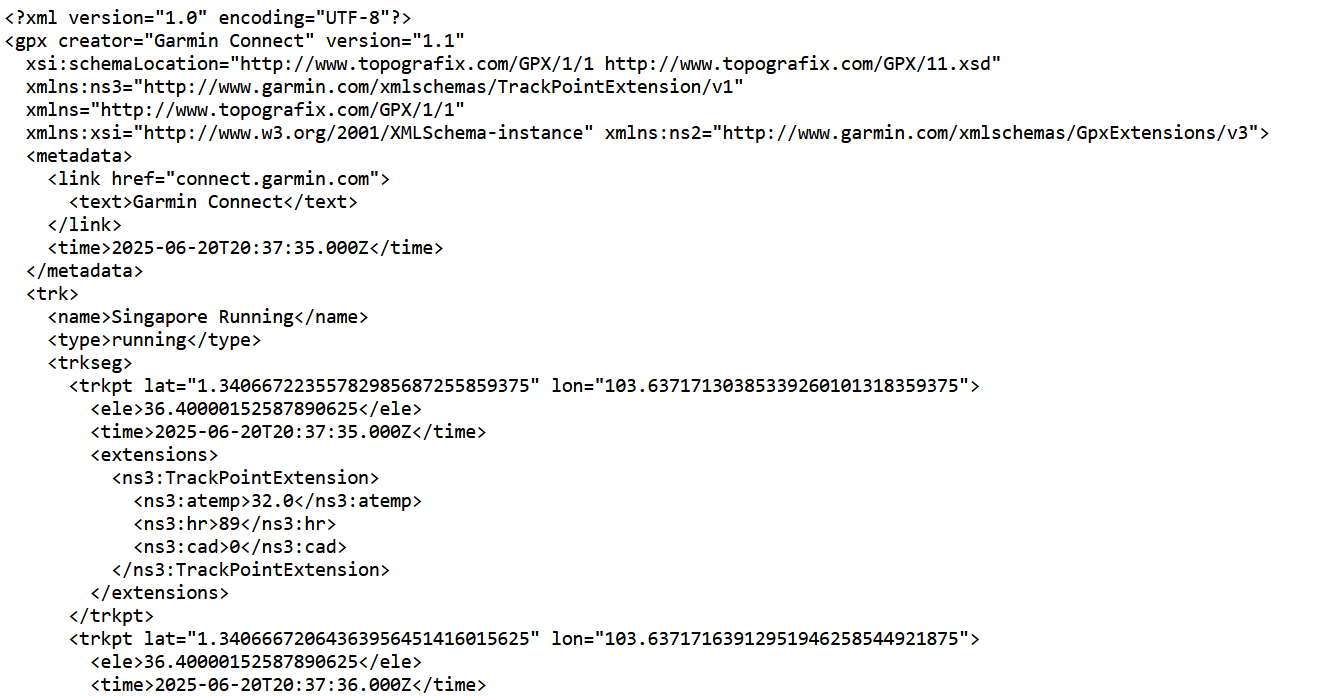
R comes with a handy xml parsing library (unsurprisingly called xml), which makes reading a GPX file very straightforward. Individual keys can be pulled out by specifying the path within the xml and saved to a common R data structure, such as a data frame. This data can then be plotted using the leaflet library, with many configurable parameters to adjust the display. I settled on a dark background showing the entirety of Singapore, while plotting the route itself in white to stand out against the features of the leaflet map.
The hardest part of the whole endeavour was cleaning up the data in the GPX file. As ever, the least fun parts take the most amount of time. At various points, the route contained minor inaccuracies in the GPS data. The easiest thing to do was to remove these data points from the set by using a gpx viewer online to determine the longitude and latitude. The leaflet library fills in the gaps in the route with a straight line so the that the output is continuous. The discrepancies were most noticeable whenever we stopped for a break and were either indoors or surrounded by tall buildings. Once these were cleaned up, the output was a smooth line joining Tuas in the east of Singapore, to Changi Village in the west.
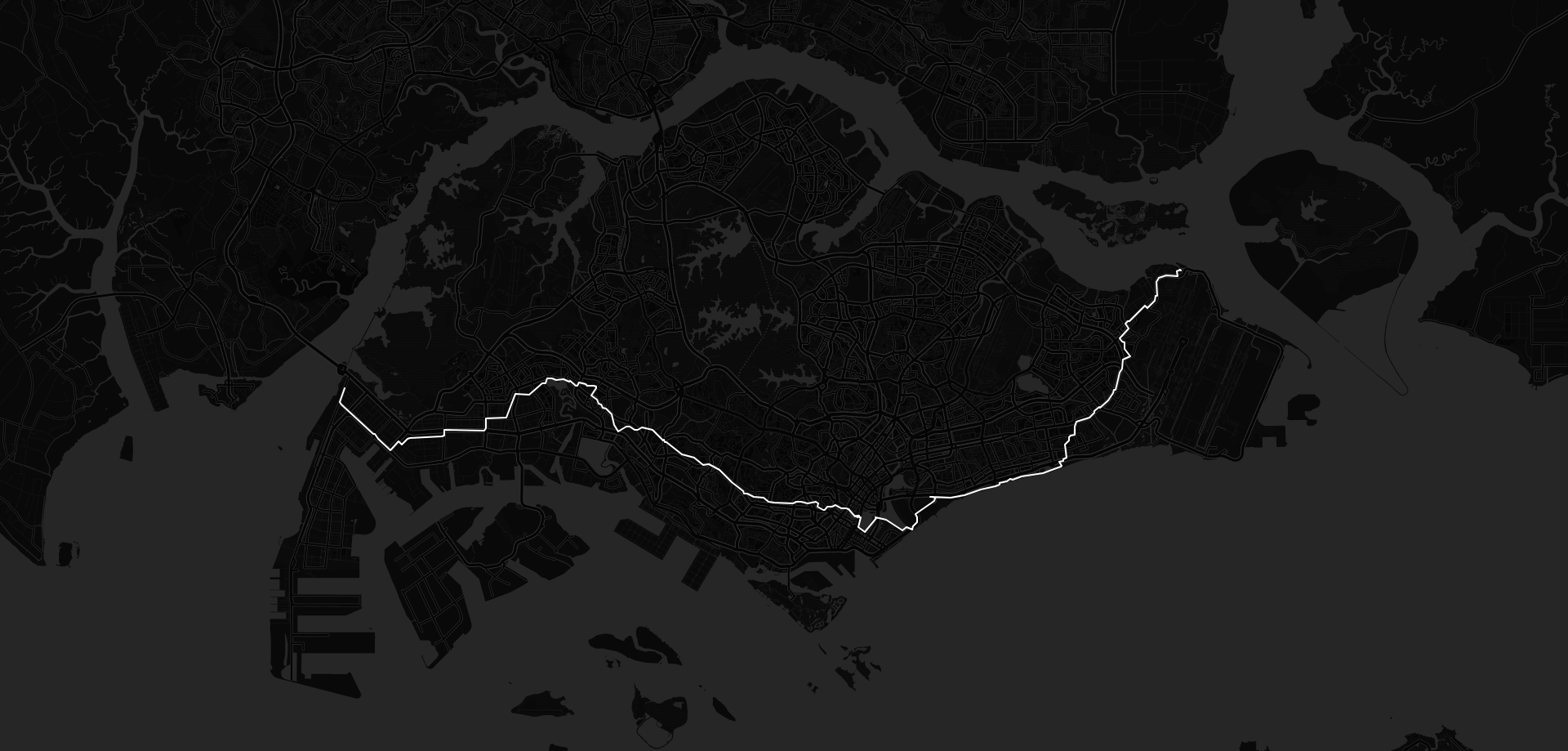
Changing some of Firefox's browser settings allowed me to take a high enough resolution screenshot for the printing company in Singapore I'd used previously. Once the physical print arrived, and was framed inside a black and white frame, the contrast between the whites and blacks really stood out. I was impressed enough with the result, that I had three more printed and framed to give to the others who had also done the run.
The code and data used for this project are available on github.com
